 how-to
Automate Order Fulfillment for Small Ecommerce Brands
Table of Contents
- What Order Fulfillment Automation Actually Means for Small Brands
- Order Fulfillment Software for Small Businesses: Where to Start
- Building Your Automated Order Processing Workflow
- Ecommerce Inventory Management Automation Without the Headaches
- Third-Party Logistics for Small Ecommerce Businesses: When to Outsource
- Measuring Automation ROI and What Actually Matters
- Common Mistakes to Avoid When Automating Fulfillment
- Frequently Asked Questions
Last Updated: October 10, 2026
What Order Fulfillment Automation Actually Means for Small Brands
To automate order fulfillment means setting up systems that handle repetitive tasks without manual intervention. The real opportunity isn't just speed, it's accuracy and consistency.
When you automate order fulfillment, you're connecting your sales channels directly to your inventory system and shipping workflow. Orders flow from Shopify, Amazon, or your website straight into your packing station. Inventory updates happen in real time. Labels print automatically.
Most small brands approach this wrong by automating everything at once. The smarter move is to start with one process, test it, then add the next layer.
Order Fulfillment Software for Small Businesses: Where to Start
Choose software based on your current setup, order volume, and biggest pain point. The software should integrate with what you have, not replace it.
Start by identifying your biggest pain point:
- Too many manual order entries across channels (Shopify + Amazon + your website = three data silos)
- Inventory going out of sync (overselling on one channel while understocked on another)
- Shipping label creation taking 15-30 minutes per order
- No visibility into what's actually in stock across locations
- Packing slips and pick lists printed manually or created in spreadsheets
Software Categories and When Each Fits
Built-in automation within your existing platform is the lowest-cost starting point. Shopify, WooCommerce, and BigCommerce handle basic automation, order-to-packing-list, inventory sync, and label printing, without adding a new tool. Cost: $0-$50/month. Best for: under 100 orders/month, single or dual sales channels, under 500 SKUs.
Lightweight order management platforms like ShipStation, Shippo, or Ordoro centralize orders from multiple channels into one dashboard, auto-generate labels, and sync inventory. Cost: $15-$100/month. Integration: 1-2 hours. Best for: 100-1000 orders/month, 2-4 sales channels.
Fulfillment-specific software like Cin7, Brightpearl, or TraceLink includes inventory management, warehouse workflows, and advanced automation rules. Cost: $100-$500/month. Integration: 1-2 weeks. Best for: 1000+ orders/month, multiple warehouse locations, complex SKU hierarchies.
Third-party logistics (3PL) providers handle fulfillment entirely, receiving inventory, picking, packing, and shipping. Examples include Fulfillment.com, ShipBob, and Flexport. Cost: $1-$5 per order plus storage fees. Best for: 2000+ orders/month.
How to Evaluate Software for Your Stack
Answer these questions before comparing features:
- How many orders per month? This determines whether you need lightweight tools or enterprise software.
- How many sales channels? Software must integrate with all of them.
- How many SKUs? Larger catalogs need robust inventory management.
- Multiple warehouse locations? You need real-time inventory sync across locations.
- What's your labor cost for fulfillment? If it exceeds software cost, automation pays for itself.
Integration Complexity and Setup Time
Setup time varies: Shopify-native tools take 30 minutes to 2 hours; third-party order management takes 2-8 hours; enterprise software takes 1-4 weeks. Request a test integration with your actual sales channels, not a demo environment.
Red Flags When Evaluating Tools
Red flags: no integration with your sales channels; inventory sync only works one direction; exception handling is manual; pricing scales unpredictably; no API or webhook support.
The Right Tool Is One That Integrates, Not One With the Most Features
A tool with 50 features that doesn't connect to your inventory system is useless. A simple tool that integrates seamlessly with your stack and handles your top three pain points is valuable. Start with a free trial or freemium tier if available. Test it with real orders from your actual sales channels. If setup takes longer than the vendor promised or integration fails, move on.
Building Your Automated Order Processing Workflow
An automated workflow connects four stages: intake, inventory sync, picking and packing, and shipping. Each stage should trigger the next automatically.
Step 1: Connect Your Sales Channels
Centralize order data from all sales channels into one location. Most platforms have built-in connectors; setup usually takes a few hours.
Step 2: Set Up Real-Time Inventory Sync
Your inventory system needs to know about orders instantly. When someone buys a product, that quantity decreases across all channels simultaneously. Real-time inventory sync prevents overselling and the nightmare of canceling orders.
Step 3: Automate Picking, Packing, and Label Generation
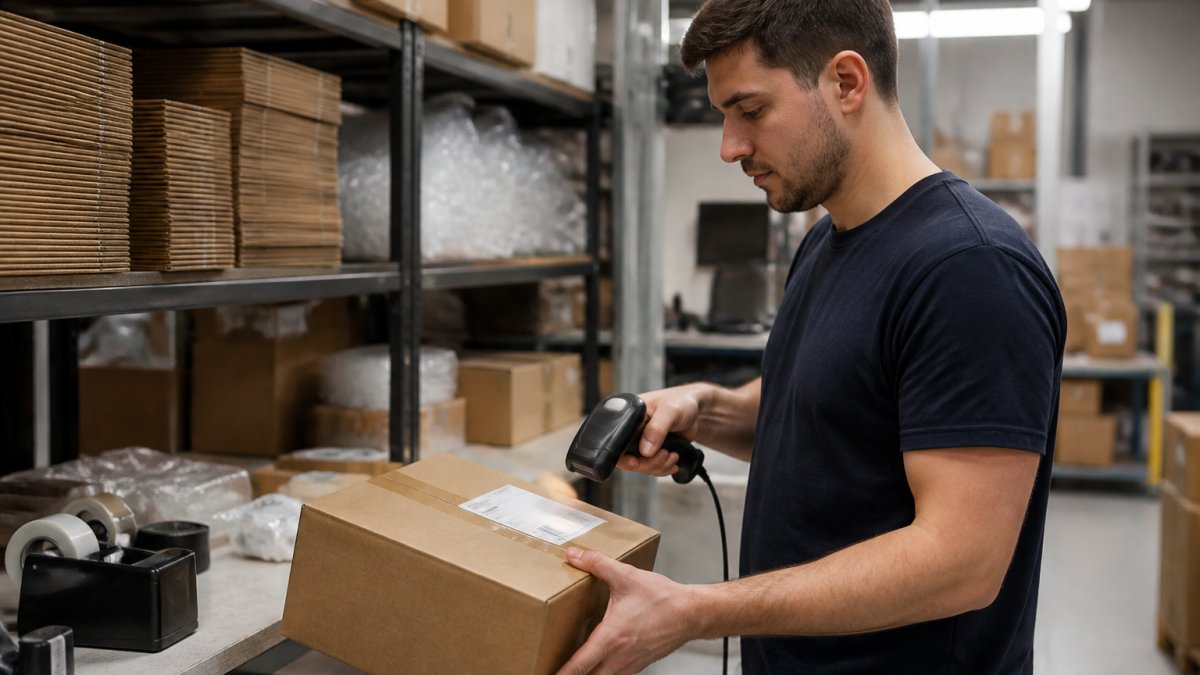
Orders arrive in your system and pick lists generate automatically. Packing slips and shipping labels print automatically. A 15-minute manual process per order becomes a 2-minute operation.
Step 4: Create Exception Handling Rules
Create rules for exceptions: if inventory is below 5 units, flag for manual review; if an address fails validation, email the customer; if payment declines, hold for 24 hours and retry. These rules prevent bad orders from shipping while keeping good ones moving automatically.
Ecommerce Inventory Management Automation Without the Headaches
Real-time inventory management is the foundation of working fulfillment automation. Inventory data is often messy: stock in two warehouses but your system thinks it's all in one; damaged goods counted as sellable; items in transit unaccounted for. Start by doing a physical inventory count and fixing discrepancies. Then set up automated sync.
Third-Party Logistics for Small Ecommerce Businesses: When to Outsource
3PL providers handle fulfillment entirely. For brands under $50K monthly revenue, 3PL usually doesn't make financial sense. As you grow to 500+ orders/month, 3PL becomes attractive. Calculate your cost per order for in-house fulfillment and compare to 3PL pricing.
Measuring Automation ROI and What Actually Matters
Automation's real value is in labor savings, error reduction, and scaling without hiring more staff. Key metrics: cost per order, order accuracy rate, time from order to shipment, inventory accuracy, and on-time delivery rate.
Calculate Your Baseline Before Automation
Labor cost per order: Track total fulfillment hours, divide by orders shipped, multiply by hourly wage (including payroll taxes). Example: 40 hours/week ÷ 400 orders/week = 0.1 hours per order × $20/hour = $2 per order.
Order accuracy rate: Count orders with errors and divide by total orders shipped. Example: 15 errors ÷ 500 orders = 97% accuracy.
Inventory accuracy: Count your top 20 SKUs and compare to your system. Example: 18 match ÷ 20 SKUs = 90% accuracy.
Time from order to shipment:
- For a sample of 50 orders, record the timestamp when the order was placed and when the shipping label was created.
- Calculate the average time difference.
Example: Average time = 4 hours from order to label.
Measure Again After Automation (Month 2-3)
Once your automation is live and stable (usually after 2-3 weeks of testing and refinement), measure the same metrics again.
Labor cost per order:
- If automation cuts your fulfillment time from 40 hours/week to 10 hours/week, that's 30 hours freed up.
- At $20/hour, that's $600/week or $2400/month in labor savings.
- If you ship 400 orders/week, labor cost per order dropped from $2.00 to $0.50.
Order accuracy rate:
- Automated picking and packing typically improves accuracy to 99%+ (fewer human errors).
- If your accuracy improved from 97% to 99.5%, that's 1 fewer error per 200 orders.
- Fewer errors = fewer refunds, fewer customer service hours, fewer reshipped orders.
Inventory accuracy:
- Real-time inventory sync should push accuracy to 95%+.
- If accuracy improved from 90% to 98%, you're overselling less and losing fewer sales to false "out of stock" messages.
Time from order to shipment:
- Automated label generation and pick-list creation should cut this to under 30 minutes.
- If you improved from 4 hours to 20 minutes, customers receive tracking numbers faster and feel better about their purchase.
Calculate Your ROI
Simple ROI formula:
ROI = (Monthly Savings − Monthly Software Cost) / Monthly Software Cost × 100
Example:
- Monthly labor savings: $2400
- Monthly software cost: $150
- ROI = ($2400 − $150) / $150 × 100 = 1500%
In plain terms: for every dollar you spend on software, you save $15 in labor.
Break-even analysis:
How many orders do you need to ship per month for automation to pay for itself?
Break-even orders = Monthly Software Cost / Labor Savings Per Order
Example:
- Monthly software cost: $150
- Labor savings per order: $1.50 (from 6 minutes down to 1 minute)
- Break-even = $150 / $1.50 = 100 orders/month
If you ship more than 100 orders/month, automation pays for itself. If you ship 400 orders/month, you're saving $600/month in labor.
Benchmarks: How You Compare
These are typical metrics for small ecommerce brands:
| Metric | Before Automation | After Automation | Industry Benchmark |
|---|---|---|---|
| Labor minutes per order | 10-15 | 2-3 | 2-4 |
| Order accuracy | 95-97% | 99-99.5% | 99%+ |
| Inventory accuracy | 85-92% | 96-99% | 98%+ |
| Time order to shipment | 2-6 hours | 15-45 minutes | 30 min-1 hour |
| Cost per order (labor only) | $1.50-$3.00 | $0.30-$0.75 | $0.50-$1.00 |
If your post-automation metrics fall short of these benchmarks, your automation rules may need adjustment, or you may need to add a second tool to handle exceptions.
Hidden Benefits (Harder to Measure, Real Value)
Reduced refunds and chargebacks: Fewer picking errors and faster shipping = fewer "wrong item" complaints and faster delivery = fewer chargebacks.
Faster scaling without hiring: If you ship 1000 orders/month with 2 staff, automation might let you ship 2000 orders/month with the same 2 staff. That's 100% revenue growth with 0% headcount growth.
Better cash flow: Faster order-to-shipment time means customers receive tracking sooner, reducing support inquiries and refund requests.
Data for decision-making: Automated systems generate logs and reports. You can see which products have high error rates, which carriers are slowest, which times of day are busiest. This data lets you optimize further.
Common Mistakes to Avoid When Automating Fulfillment
The biggest mistake is automating a broken process. If your current fulfillment workflow is inefficient, automating it just makes it faster at being inefficient.
Before you automate, document your actual workflow. Where do orders come in? How do you currently pick items? How do you pack and label? Where do exceptions happen? Fix the obvious problems first, then automate.
Another common mistake is choosing software based on features instead of integration. A tool with 100 features that doesn't connect to your inventory system is useless. A simple tool that integrates seamlessly is valuable.
Finally, avoid the "set it and forget it" approach. Automation needs monitoring. Orders that hit exception rules need review. Your rules need updating as your business changes. Spend 30 minutes per week checking on your automation to catch issues early.
Automating order fulfillment for small ecommerce brands isn't a luxury, it's how you scale without hiring a full operations team.
Frequently Asked Questions
Which parts of ecommerce order fulfillment should be automated first?
Start with order routing and inventory synchronization across sales channels. These two tasks eliminate the most manual work and prevent overselling. Next, automate picking and packing label generation. Finally, layer in exception handling for stockouts and address validation. This sequence gives you quick wins while building toward a complete automated order fulfillment system.
How do you connect an ecommerce store to inventory and shipping software?
Most platforms use APIs or pre-built connectors. Map your sales channels (Shopify, WooCommerce, Amazon) to your inventory management system first, then connect to shipping carriers. Test with a small batch of orders before going live. Document your automation rules and exception workflows so your team knows what's automated and what requires manual review.
When should a small ecommerce brand use third-party logistics for small ecommerce businesses?
Use third-party logistics when fulfillment labor costs exceed 15-20% of order value, when you operate multiple warehouses, or when order volume spikes seasonally. For brands shipping under 500 orders monthly, in-house fulfillment with basic automation often costs less. Calculate your cost per order and compare against 3PL pricing before deciding to outsource.
What happens to our existing data and integrations if we automate order fulfillment?
Modern fulfillment automation works alongside your current systems, no rip-and-replace required. Your historical data stays intact. New automation rules sit on top of your existing software stack, pulling data from your current inventory system and feeding order data to your current shipping provider. Integration happens through APIs or connectors, not by replacing what you already use.