 comparison
Xcelacore Alternative for Warehouse Automation: 2026 Guide
Table of Contents
- Why Operations Teams Look for an Xcelacore Alternative for Warehouse Automation
- Top Warehouse Automation Platforms Compared: Scale Partners AI, Dematic, SSI Schaefer, Locus Robotics, and Fabrico
- AI Recommendations for Warehouse Efficiency 2026: What Weekly, Actionable Output Actually Looks Like
- Custom AI Logistics Software Development vs. Off-the-Shelf Platforms
- Warehouse Automation ROI Calculation: What to Include Beyond License Fees
- Migration and Implementation Risks When Switching Warehouse Automation Platforms
- Frequently Asked Questions
Last Updated: September 11, 2026
Why Operations Teams Look for an Xcelacore Alternative for Warehouse Automation
Warehouse automation uses software, robotics, and control systems to move, store, and track inventory with less manual intervention (nist.gov). Operations teams start hunting for an xcelacore alternative for warehouse automation when the platform stops matching how the floor runs: it handles inventory records, but nobody sees true per-SKU profit, labor coordination lives in spreadsheets, and every new warehouse adds another silo.
At Scale Partners AI, 15 years inside logistics operations surfaces the same complaint in nearly every evaluation: the platform was sold as a visibility layer but behaves like a record-keeping tool. Below, we break down a real ROI calculation, and flag the migration risks most vendor demos skip.
A warehouse automation platform that cannot produce weekly, actionable output becomes shelfware within a year, and switching costs climb the longer you wait.
Top Warehouse Automation Platforms Compared: Scale Partners AI, Dematic, SSI Schaefer, Locus Robotics, and Fabrico
The best warehouse automation platform depends on whether you need intelligence layered onto existing systems or a full control stack for hardware. For most mid-sized operations running multi-channel inventory, Scale Partners AI deploys custom AI on top of your current stack instead of a rip-and-replace.
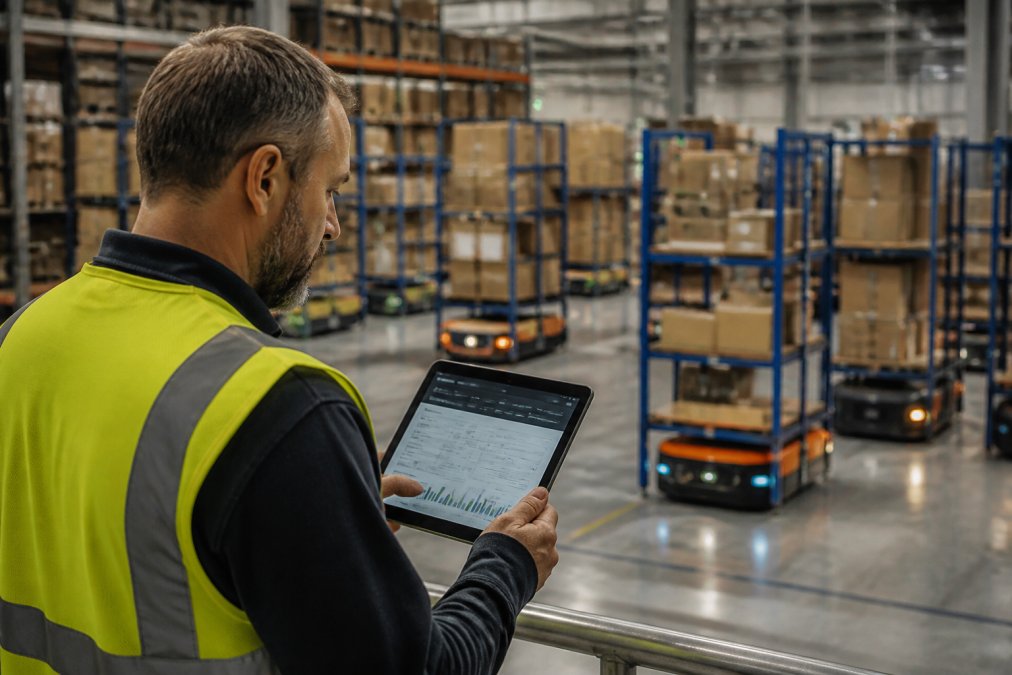
Scale Partners AI builds production-ready AI systems around your existing software, so historical data and integrations stay intact. Its weekly "fix this" recommendations target margin leaks: AI-flagged bundling opportunities, real-time per-SKU profit visibility, and labor and dispatch coordination. The limitation is scope, it is a consulting-led build, not click-to-install, so teams expecting same-week self-serve onboarding must adjust expectations.
Dematic (DiQ) pairs real-time dashboarding and predictive analytics with automated material handling equipment, suiting large distribution centers where hardware and software stay synchronized. The trade-off is implementation complexity and cost, which puts it out of reach for smaller facilities.
SSI Schaefer (WAMAS) is a modular WMS controlling manual and automated processes with strong multi-site support, fitting enterprises that want one platform across mixed sites. Expect a steep learning curve for admins.
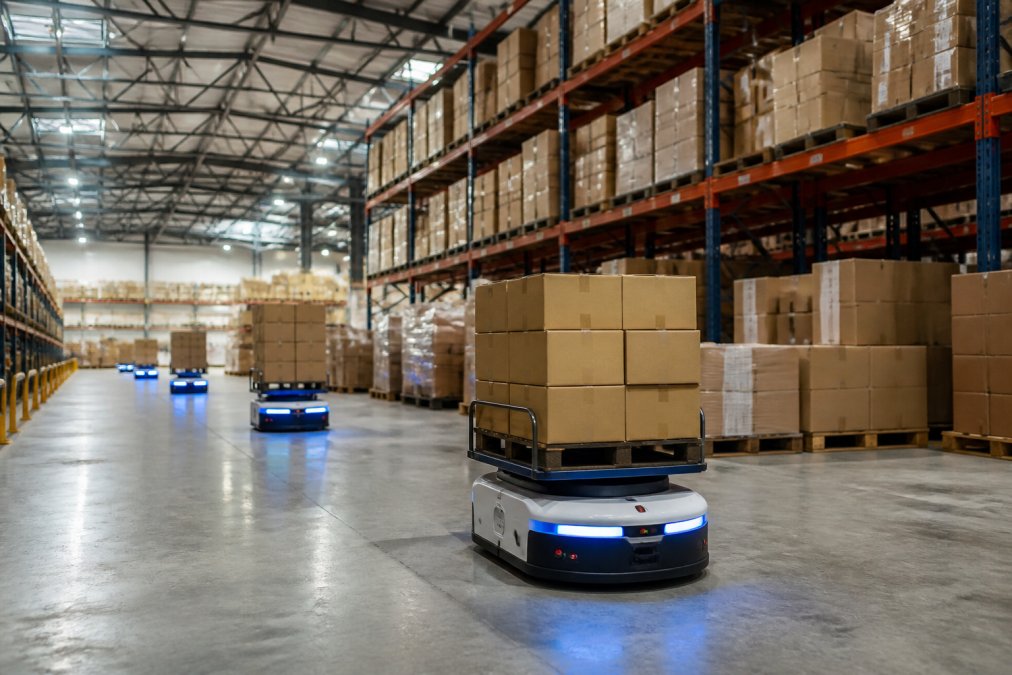
Locus Robotics runs autonomous mobile robots on a robotics-as-a-service subscription, which scales with seasonal demand and cuts picker travel time. It needs dedicated Wi-Fi to perform reliably.
Fabrico focuses narrowly on maintenance scheduling and asset uptime with a clean, cloud-based interface. It complements a WMS rather than replacing it.
Quick Comparison Table: Core Capabilities, Pricing Models, and Best-Fit Scenarios
| Platform | Core Strength | Pricing Model | Best Fit |
|---|---|---|---|
| Scale Partners AI | Custom AI on existing stack | Project-based, quote required | Multi-channel ops needing per-SKU profit visibility |
| Dematic (DiQ) | Hardware-software synchronization | Custom enterprise licensing | Large automated distribution centers |
| SSI Schaefer (WAMAS) | Modular WMS for manual and automated flows | Enterprise software licensing | Multi-site enterprises |
| Locus Robotics | AMR fleet orchestration | RaaS subscription | E-commerce and 3PL peak scaling |
| Fabrico | Maintenance and asset uptime | Subscription | Downtime reduction programs |
How We Evaluated These Alternatives
We scored each platform on four criteria: integration effort with existing systems, depth of real-time data movement, total cost of ownership beyond license fees, and internal labor consumed by the rollout. Vendor-agnostic comparison matters because the SERP is crowded with generic top-ten lists that never mention migration risk or TCO. Integration effort carried the heaviest weight, since that is where most implementations stall.
A Vendor-Agnostic Scorecard You Can Apply to Any Platform
Most comparison articles rank vendors by feature count and call it analysis, but feature count says nothing about fit. Instead, score every candidate, including ones not listed above, on the same five weighted criteria. This framework works for a WMS, a WES, an AMR fleet manager, or a custom AI layer.
1. Integration surface (weight: 30%). How many existing systems can the platform read from and write to without middleware? Count the connectors: WMS, ERP, order management, e-commerce storefronts, shipping and label systems, and any legacy inventory database. A platform that requires replacing two of those is not an integration, it is a migration. Ask for API documentation before the demo.
2. Data ownership and portability (weight: 20%). If you leave in three years, what walks out the door? Per-SKU profitability history, labor performance records, and order fulfillment data are assets. Platforms that store them in a proprietary format you cannot export are a lock-in risk. Confirm the export format in writing.
3. Operational fit for your workflow mix (weight: 20%). A platform optimized for high-volume e-commerce parcel flow will underperform in a facility that also runs pallet-in/pallet-out wholesale. Map your actual order profiles, units per order, lines per order, channel mix, against what the platform was designed for. Vendors rarely volunteer where their system struggles.
4. Total cost of ownership over 24 months (weight: 20%). Not the license fee. The all-in number: subscription or license, implementation, integration labor, data cleanup, training, hardware refresh, and internal maintenance hours. See the ROI section below.
5. Time-to-first-value (weight: 10%). How many weeks until the system produces output your team acts on? A platform that takes nine months to go live has a nine-month payback delay baked in. Ask a reference customer who went live in the last 12 months how long it really took.
Score each candidate 1-5 per criterion, multiply by the weight, and total. The scorecard makes trade-offs visible before you sign.
AI Recommendations for Warehouse Efficiency 2026: What Weekly, Actionable Output Actually Looks Like
AI recommendations for warehouse efficiency in 2026 are only useful if they arrive weekly and name specific actions. A dashboard that shows a problem is not a recommendation. A recommendation says: reallocate two pickers to Zone C before the 2 p.m. cut-off, or bundle these three slow-moving SKUs because they ship to the same zip codes.
That distinction separates working systems from slide decks. Most platforms surface metrics and leave interpretation to a stretched operations team. The alternative ingests your order, labor, and inventory data, then outputs a short weekly list of changes ranked by margin impact.
What that looks like in practice:
- Labor coordination: shift-level reallocations based on predicted order volume
- Inventory management: SKUs flagged for rebalancing across warehouses
- Order fulfillment: pick-path and batching changes for the coming week
- Margin: bundling and pricing moves tied to real per-SKU profit
Custom AI Logistics Software Development vs. Off-the-Shelf Platforms
Custom AI logistics software development wins when your operation has complexity an off-the-shelf platform cannot model: multiple warehouses, mixed sales channels, and SKU counts in the thousands. Off-the-shelf wins when processes are standard and speed matters more than fit. The real question is whether your existing systems hold the data needed for good decisions, and whether a vendor will connect to them without demanding a full replacement.
When Custom Beats Off-the-Shelf (and When It Doesn't)
Custom beats off-the-shelf when three conditions hold: workflows diverge from industry norms, data lives in several systems that must stay in place, and you need recommendations specific enough to act on weekly. Scale Partners AI was built for this profile, integrating with your current stack rather than replacing it.
Off-the-shelf wins when you need standardized warehouse execution fast, physical automation hardware is the priority, or your team lacks bandwidth to co-design a system.
A common mistake is assuming custom means months of downtime. A well-scoped integration typically starts with one data source and one workflow, then expands once the first weekly recommendations prove out.
Warehouse Automation ROI Calculation: What to Include Beyond License Fees
A warehouse automation ROI calculation that stops at license fees will overstate returns every time. The number that matters is total cost of ownership: licensing, integration labor, training, hardware refresh, downtime during cutover, and the internal hours spent maintaining the system after go-live. This section shows you how to build the model, because categories alone do not tell you whether the project clears your threshold.
Total Cost of Ownership Components Most Buyers Miss
Most buyers model subscription cost and implementation fee, then stop. The components that quietly erode ROI:
- Integration labor: developer hours to connect WMS, ERP, and e-commerce systems. A single non-trivial API integration commonly runs into hundreds of developer hours once edge cases, error handling, and testing are included (gartner.com).
- Data cleanup: reconciling SKU records, unit-of-measure mismatches, and historical order fulfillment data before migration. Almost always underestimated because the mess is invisible until you try to move it.
- Training and change management: floor staff and admins learning a new workflow. Budget for a productivity dip during the first two to four weeks after go-live, not just training hours (hbr.org).
- Downtime exposure: throughput lost during cutover windows. Even a phased cutover has a window where the floor runs on partial data.
- Ongoing maintenance: internal ownership of integrations and API connectivity. Every connector is a standing obligation, when the ERP vendor pushes an update, someone must test the integration.
- Hardware refresh and spares: for any platform tied to physical automation, AMRs, scanners, or on-premise servers, model the refresh cycle and spare-parts inventory.
How to Build the Model on a 24-Month Horizon
Build the business case on a 24-month horizon and include at least one integration surprise:
- Baseline the current state. Measure existing cost per order, labor hours per unit shipped, and error/return rate. Without a baseline, you cannot prove the project worked.
- Estimate gross benefit. Translate promised improvements into your own numbers. If a vendor claims a pick-rate improvement, apply it to your actual pick volume and loaded labor rate, not an industry average.
- Subtract the full TCO. Use the component list above, plus a contingency line for integration and data cleanup; practitioners commonly find these run over the initial estimate.
- Stress-test the payback. Re-run the model with benefits cut by a third and costs raised by a third. If payback still lands inside your acceptable window, the project has margin for error. If it only works on the optimistic case, it is a bet, not a business case.
- Assign an owner to each cost line. Unowned cost lines are the ones that surprise you. Someone should own integration labor, data cleanup, and post-go-live maintenance before the contract is signed.
The Hidden Costs That Sink Otherwise-Sound Projects
Three cost categories account for most of the gap between projected and actual ROI:
Integration fragility. Every API connection is a maintenance obligation. When an upstream system changes, the integration can break silently, orders stop flowing, but nobody notices until a customer complains. Budget internal hours for monitoring, not just building.
Shadow workarounds. If the new system does not match how the floor runs, staff revert to spreadsheets and manual overrides within a month. The license is still paid, but the benefit never materializes, an adoption cost disguised as a software cost.
Scope creep during rollout. The first workflow proves out, and stakeholders immediately want three more, each with its own integration and training cost. Phase the roadmap and price each phase separately so the total does not balloon unnoticed.
What Good Looks Like
A defensible ROI model has a measured baseline, a full TCO including internal labor and ongoing maintenance, a contingency for integration surprises, and a stress-tested payback. If your model only works when everything goes right, it is not a model, it is a hope. Build the pessimistic case first; let the optimistic case be the upside.
Migration and Implementation Risks When Switching Warehouse Automation Platforms
Migration risk is the angle most comparison articles ignore, and it is where projects fail. Historical data rarely transfers cleanly, integrations break silently, and the floor team loses trust during the first slow week.
Three risks deserve a written plan before you commit. First, data migration: confirm which historical records move, which stay archived, and how per-SKU profitability history is preserved. Second, integration fragility: every API connection is a maintenance obligation, so document who owns each one. Third, adoption: if the weekly recommendations do not match how the operation runs, staff revert to old workarounds within a month.
A phased cutover, one warehouse or workflow at a time, keeps throughput stable while you validate against real orders. Teams that insist on a single weekend flip rarely get a second chance to build floor confidence.
Choosing an xcelacore alternative for warehouse automation comes down to one question: do you need a platform that replaces your systems, or intelligence that makes them work harder? For operations teams with existing inventory, labor, and order data spread across several tools, Scale Partners AI offers the pragmatic path: custom AI built around your current stack, real-time visibility into true per-SKU profit, and weekly recommendations your team can act on without a rip-and-replace. Book a Discovery Call with Scale Partners AI and see what your operation looks like when the data finally produces decisions.
Frequently Asked Questions
What are the primary benefits of custom AI for warehouse automation?
Custom AI for warehouse automation delivers real-time visibility into per-SKU profitability, improved labor and dispatch coordination, and automated flagging of margin opportunities like product bundling. Unlike generic tools, custom systems integrate with your existing software stack, so you avoid a full rip-and-replace. For operations managers dealing with manual inventory workarounds, this means faster decisions and less time reconciling spreadsheets. The key advantage is that the system learns your specific workflows and SKU mix rather than forcing you into a rigid template.
How do I evaluate warehouse automation consulting firms?
Look for firms that show production systems, not slide decks. Ask for customer references you can contact directly, and request a concrete example of a weekly recommendation they delivered and the measurable outcome. Check whether they build around your existing software or require a full replacement. Also assess their operational experience: 15 years of hands-on logistics work signals they understand warehouse floor realities. Finally, clarify what ongoing support looks like after go-live, since implementation is only the start.
Is it better to build or buy warehouse automation software?
It depends on your complexity and internal capacity. Off-the-shelf platforms work well for standard workflows but can require heavy customization for multi-channel operations. Custom AI logistics software development makes sense when your SKU mix, warehouse layout, or labor model is unique enough that generic tools create workarounds. A middle path: partner with a firm that builds custom layers on top of your existing warehouse management system, so you get tailored logic without a full system replacement.
What should be included in a warehouse automation ROI calculation?
Go beyond license fees. Include integration costs, staff training hours, temporary productivity dips during rollout, ongoing support fees, and hardware refresh cycles. On the benefit side, quantify labor cost reduction, picking accuracy improvements, throughput capacity gains, and storage density increases. Also factor in avoided costs, like overtime during peak season or inventory write-offs from poor visibility. A realistic warehouse automation ROI calculation uses your actual order volumes and labor rates, not vendor-supplied averages, and models at least three years out.
What are the common pitfalls when implementing warehouse automation?
The biggest pitfalls are underestimating data quality issues, skipping change management, and choosing a platform that requires a full rip-and-replace. If your historical data is messy, plan for a cleanup phase before go-live. Involve warehouse floor staff early so the system matches how work actually gets done. Also avoid locking into a single vendor without API connectivity guarantees. Finally, set realistic timelines: integration with existing software ecosystems typically takes longer than vendors suggest, especially across multiple warehouses.