 how-to
Implementing AI in 3PL Warehouses: A Step-by-Step Guide
Table of Contents
- Start with a Clear Business Case for AI in 3PL Warehouses
- Audit Your Data Infrastructure Before Implementing AI in 3PL
- Choosing AI Warehouse Automation Tools That Fit Your Stack
- Step 1: Integrate AI for Demand Forecasting and Slotting
- Step 2: Apply AI-Driven Inventory Management Best Practices
- Step 3: Use AI to Optimize Picking, Packing, and Labor
- Managing the Challenges of AI Adoption in 3PL Operations
- Calculate Your ROI Timeline and Scale Gradually
- Frequently Asked Questions
Last Updated: September 5, 2026
Implementing AI in 3PL warehouses is the process of connecting machine learning models and automation systems to your existing warehouse management system (WMS) to improve forecasting, slotting, picking, and labor allocation. For most third-party logistics providers, the bottleneck is not the technology itself but the operational readiness of their data and workflows. At Scale Partners AI, we have spent 15 years inside these operations, and the most common failure we see is teams buying tools before they define the metric they want to move. You do not need a full system rip-and-replace to see meaningful gains, but you do need a disciplined sequence.
Start with a Clear Business Case for AI in 3PL Warehouses
Defining a business case is the step most operators skip, and it is the reason many AI pilots die quietly after 90 days. You need a single, measurable objective tied to a financial outcome, such as reducing cost per order by a specific amount or cutting pick path travel time.
A practical way to start is to pick one facility and one workflow, then document the current baseline. Measure your order processing time, picking accuracy, and labor hours per shipment over a two-week period. That baseline becomes the contract for what success looks like. According to McKinsey's analysis of AI in logistics and supply chains, companies that tie AI adoption to specific operational KPIs rather than broad digital transformation goals see faster payback and higher adoption rates among frontline staff.
Define the Operational Metric You Want to Move
Choose a metric that is currently tracked manually, since the data gap is often the real constraint. Common starting points include pick accuracy, order cycle time, or labor cost per unit shipped. Your metric should be something your team already records.
Audit Your Data Infrastructure Before Implementing AI in 3PL
Most AI warehouse automation tools fail because the data feeding them is fragmented across spreadsheets, the WMS, and carrier portals. Before you evaluate any software, map where your inventory counts, order statuses, and labor hours actually live.
The audit does not need to be perfect, but it must identify which data sources are trustworthy. A common mistake is assuming the WMS export is clean; cycle count adjustments and manual overrides often corrupt the history. You need a data layer that reconciles these records before any machine learning model touches them.
Data Quality Checks for Inventory and Order Workflows
Run three specific checks on your data. First, confirm that every SKU has a consistent unit of measure across all warehouses. Second, verify that order timestamps are recorded in a single timezone. Third, check for duplicate customer records that will distort demand forecasting.
The Data Hygiene Checklist Most 3PLs Skip
Beyond the basics, a rigorous data audit for AI requires a deeper look at the following:
- SKU Master Consistency: Ensure that the same SKU is not listed under different codes in different client accounts. For example, a 12-ounce bottle might be 'SKU-12OZ' in one client's file and '12OZ-BTL' in another. Standardize these before any model runs.
- Inventory Transaction Logs: Verify that every movement (receipt, putaway, pick, ship, adjustment) is logged with a timestamp and a user ID. Missing or incomplete logs create gaps that models cannot fill.
- Order History Depth: For demand forecasting, you need at least 24 months of order history to capture seasonality (peer-reviewed research). If you only have 6 months, the model will miss annual peaks and troughs.
- Carrier and Delivery Data: If you want to predict delivery times or costs, you need clean carrier data, including service levels, zones, and actual transit times. This is often scattered across emails and spreadsheets.
- Labor Data Granularity: To optimize labor allocation, you need labor hours tied to specific tasks (picking, packing, shipping) rather than just total hours per shift. Time and attendance systems often lack this granularity.
Building a Data Reconciliation Layer
Once you identify the gaps, you need a reconciliation layer that cleans and standardizes data before it reaches the AI. This can be a simple ETL (extract, transform, load) pipeline that runs nightly, or a more sophisticated data warehouse.
For example, if your WMS shows 100 units of SKU-123 but your cycle count shows 98, the reconciliation layer must flag this discrepancy and decide which number to trust. In most cases, the cycle count is more accurate.
Practical Steps to Start Your Data Audit Today
- Inventory the data sources: List every system that touches inventory, orders, labor, and shipping. Include spreadsheets, emails, and even paper logs.
- Interview your warehouse staff: Ask them where they see data errors or gaps. They know the reality better than any dashboard.
- Run a data profiling tool: Use open-source tools like Great Expectations or Talend to automatically check for missing values, duplicates, and format inconsistencies.
- Create a data quality scorecard: Rate each data source on accuracy, completeness, and timeliness. This gives you a baseline to measure improvement.
- Fix the top three issues first: Don't try to solve everything at once. Focus on the data that feeds your chosen KPI.
This data audit is not a one-time event. As you add new clients or change processes, your data landscape will shift. Build a quarterly review into your operations.
Choosing AI Warehouse Automation Tools That Fit Your Stack
The tool market is crowded, but the right filter is integration depth with your existing WMS. If a vendor cannot read and write to your current system without custom middleware, move on. The best options offer API access to your inventory and order tables so the AI can run predictions and send recommendations back into your operational workflows.
Pricing varies widely based on facility count, SKU volume, and integration complexity, so budget figures are best obtained directly from vendors. Focus your evaluation on three capabilities: demand forecasting accuracy, slotting optimization logic, and picking path generation. Tools that excel in all three are rare; prioritize the capability that maps to the metric you defined in your business case.
Step 1: Integrate AI for Demand Forecasting and Slotting
Start with demand forecasting because it drives every downstream decision. An AI model can analyze historical order patterns, seasonality, and customer behavior to predict volume at the SKU level. This is a shift from the reactive planning most 3PLs use today, where labor is scheduled based on last week's numbers.
Slotting optimization follows naturally from better forecasts. Once you know which SKUs will move fastest next month, you can place them in the most accessible pick locations. Many operations see their biggest early win here because the model identifies high-velocity items buried in deep storage due to legacy slotting rules.
Step 2: Apply AI-Driven Inventory Management Best Practices
AI-driven inventory management best practices center on moving from periodic review to continuous optimization. Instead of setting reorder points once a quarter, the system adjusts them daily based on demand signals and lead times.
For multi-client 3PL operations, the model must also respect client-specific service level agreements. The AI should know that Client A tolerates a 98% fill rate while Client B requires 99.5%. By encoding these rules into the model's constraints, you maintain supply chain transparency with each customer while optimizing your shared labor pool.
Step 3: Use AI to Optimize Picking, Packing, and Labor
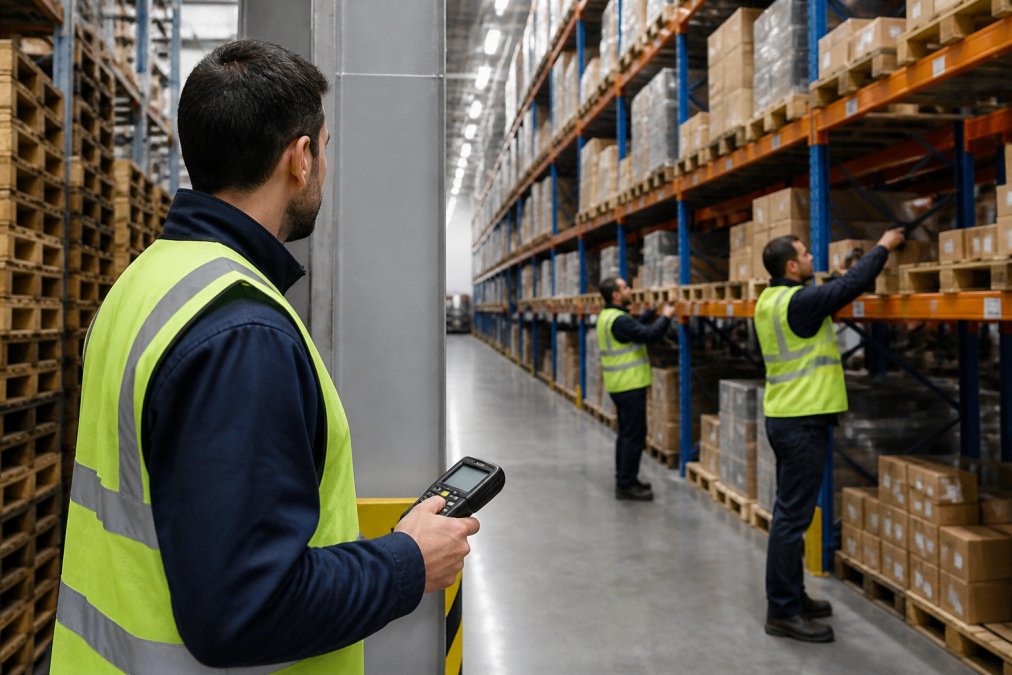
Picking is where AI delivers the most visible operational change. Rather than sending workers down aisles in a fixed sequence, the system generates optimized pick paths that batch orders by location proximity. Automated picking support, whether through voice-directed picking or put-to-light systems, reduces error rates.
Labor management is the second half of this step. The AI forecasts daily order volume and recommends shift schedules that match headcount to workload. For operations managers, the weekly recommendation becomes a simple checklist: adjust these shifts, move these two workers to packing, and focus this team on the backlog of a specific client.
Managing the Challenges of AI Adoption in 3PL Operations
The challenges of AI adoption in 3PL operations are rarely technical; they are organizational. Frontline workers often view new systems with suspicion, especially if they fear the AI is tracking their individual speed. The fix is transparency about what the system measures.
Integration with legacy systems is another common hurdle. Older WMS platforms may lack modern APIs, requiring a middleware layer to translate data. Budget for this integration work explicitly rather than assuming the AI vendor handles it.
Workforce Training and Change Management
Training should focus on exception handling, not basic system operation. Workers need to know what to do when the AI recommends a pick path that seems illogical or when the forecast misses a sudden spike. Reserve a team of power users who can troubleshoot issues on the floor and act as champions for the new workflows.
The Human Side of AI: Change Management That Works
Most AI implementations fail not because the algorithm is wrong, but because people resist using it. You need a structured change management plan that addresses the fears and motivations of your workforce.
Start with 'Why' Before 'How': Before you introduce any AI tool, hold a town hall meeting. Explain why you are adopting AI: to reduce the physical strain of walking long distances, to cut down on overtime during peak seasons, and to make their jobs more interesting by eliminating repetitive decisions.
Involve Workers in the Design: Ask a group of pickers and packers to test the AI's recommendations and give feedback. When they see their suggestions incorporated, like adjusting pick paths to avoid congested aisles, they become invested in the tool's success.
Create a 'Champion' Program: Select one or two respected workers from each shift to become AI champions. Train them deeply on the system, and have them serve as the first line of support for their peers.
Measure and Celebrate Quick Wins: In the first month, track a specific metric like pick accuracy or travel time. When you see improvement, share the numbers with the team and celebrate.
Bridging the Gap with Legacy WMS: Integration Strategies
Many 3PLs run on WMS platforms that are 10 to 20 years old, with no modern API. This doesn't mean you need to replace your WMS, that would be costly and risky. Use a middleware layer to bridge the gap.
Option 1: API Wrappers: If your WMS has a database but no API, you can build a thin API wrapper that exposes the necessary tables (inventory, orders, shipments) to the AI system. This can be done with open-source tools like Node.js or Python.
Option 2: Flat File Exports: Some legacy WMS systems can export CSV files on a schedule. You can use these exports to feed the AI, but be aware of the latency. If you need real-time data, consider a database trigger that pushes changes to an intermediate database.
Option 3: Database Replication: For the most seamless integration, set up a read-only replica of your WMS database. The AI can query this replica without affecting your operational system.
Key Considerations for Integration:
- Data Mapping: You'll need to map your WMS fields to the AI's expected format. This is tedious but critical.
- Error Handling: Decide what happens when the AI sends a recommendation that the WMS rejects (e.g., a pick path that violates a safety rule). Build in fallback logic.
- Security: Ensure that any middleware complies with your clients' data privacy requirements.
Budgeting for the Hidden Costs of AI Adoption
Beyond software licenses, budget for these often-overlooked costs:
- Integration Development: Pricing depends on quantity, dates, and delivery.
- Data Cleaning: Pricing depends on quantity, dates, and delivery.
- Training: Pricing depends on quantity, dates, and delivery.
- Change Management: Pricing depends on quantity, dates, and delivery.
These numbers are estimates based on typical 3PL projects; your actual costs will vary. Include them in your ROI calculation from the start.
Calculate Your ROI Timeline and Scale Gradually
Most AI initiatives in 3PL warehouses show measurable ROI within six to twelve months when scoped correctly. To calculate your timeline, list the hard costs: software subscriptions, integration work, and training hours. Then estimate the savings from reduced labor hours, lower error rates, and improved inventory accuracy.
Start with a single facility and a single workflow, prove the value, then expand. This phased approach keeps risk low and builds internal confidence. For teams that need guidance on building a production-ready system without a costly rip-and-replace, Scale Partners AI designs custom AI that integrates with your existing software stack and delivers weekly "fix this" recommendations based on your actual operational data. Book a Discovery Call to map your specific ROI timeline and identify the highest-impact workflow to automate first.
Frequently Asked Questions
What are the primary benefits of AI in 3PL warehouse management?
The main benefits include improved forecast accuracy, real-time inventory visibility, and optimized labor allocation. AI systems analyze historical data to predict demand, which reduces overstocking and stockouts. For 3PLs, this translates to lower storage costs and better SLA compliance. Automation of repetitive tasks like slotting and order batching frees managers to focus on exceptions.
How do I choose the right AI technology for my warehouse stack?
Start by listing the systems you already run, such as your WMS, ERP, and labor management tools. The right AI technology should integrate with those systems via API rather than requiring a rip-and-replace. Evaluate vendors on their data integration experience, not just their algorithms. Ask for a pilot that uses your own warehouse data. Prioritize tools that offer actionable weekly recommendations over dashboards that require manual interpretation. A phased rollout on a single process, like slotting, is the safest way to test fit.
What is the typical ROI timeline for AI implementation in 3PL?
ROI timelines vary based on the process you target and data quality. Quick wins in labor forecasting or inventory slotting often show measurable returns. Larger initiatives, such as full network-wide optimization, typically take time to hit payback. To calculate your own timeline, track the baseline cost of a specific operation, like order picking, before implementation. Then measure the cost per order after the AI model is in production. Focus on one metric first to validate value before scaling.
Can AI help 3PLs reduce labor costs and improve throughput?
Yes. AI improves labor forecasting by analyzing order volume patterns, seasonality, and historical productivity per worker. This lets you schedule the right number of staff for each shift, reducing both overtime and idle time. For throughput, AI optimizes pick paths and batch sizes to minimize travel time between locations.
Frequently Asked Questions
Q: What are the primary benefits of AI in 3PL warehouse management?
A: The main benefits include improved forecast accuracy, real-time inventory visibility, and optimized labor allocation. AI systems analyze historical data to predict demand, which reduces overstocking and stockouts. For 3PLs, this translates to lower storage costs and better SLA compliance. Automation of repetitive tasks like slotting and order batching frees managers to focus on exceptions.
Q: How do I choose the right AI technology for my warehouse stack?
A: Start by listing the systems you already run, such as your WMS, ERP, and labor management tools. The right AI technology should integrate with those systems via API rather than requiring a rip-and-replace. Evaluate vendors on their data integration experience, not just their algorithms. Ask for a pilot that uses your own warehouse data. Prioritize tools that offer actionable weekly recommendations over dashboards that require manual interpretation. A phased rollout on a single process, like slotting, is the safest way to test fit.
Q: What is the typical ROI timeline for AI implementation in 3PL?
A: ROI timelines vary based on the process you target and data quality. Quick wins in labor forecasting or inventory slotting often show measurable returns. Larger initiatives, such as full network-wide optimization, typically take time to hit payback. To calculate your own timeline, track the baseline cost of a specific operation, like order picking, before implementation. Then measure the cost per order after the AI model is in production. Focus on one metric first to validate value before scaling.
Q: Can AI help 3PLs reduce labor costs and improve throughput?
A: Yes. AI improves labor forecasting by analyzing order volume patterns, seasonality, and historical productivity per worker. This lets you schedule the right number of staff for each shift, reducing both overtime and idle time. For throughput, AI optimizes pick paths and batch sizes to minimize travel time between locations.